




Hollywood cinematographers rely on a simple truth of camera movement: floating through 3D space along a physical line creates a visceral sense of speed that even $100,000 heavy-lift drones cannot replicate. Drones push air around, making them noisy, vulnerable to wind sheer, and prohibited over packed stadium crowds or dense forest canopies. A suspended wire system cuts through those limitations, delivering silent, repeatable tracking shots down to the millimeter. Learning how to set up cable cam systems correctly bridges the gap between dangerous overhead hazard and buttery-smooth cinematic motion.
Understanding the physics of rigging transformed dynamic camera work from a specialized stunt into a standard production tool. When you suspend a 10-to-30-pound payload across a 150-foot span, basic static mechanical principles take over. Tension exponentially increases as line sag decreases, meaning a setup pulled too taut can easily generate thousands of pounds of force on your anchors, risking structural failure.
The Physics of Suspension: Why Cable Cams Outperform Drones
Aerial wire rigs rely on structural cable dynamics rather than aerodynamic lift. Drones suffer from battery drain, prop wash, signal drops in steel-heavy environments, and strict FAA Part 107 restrictions regarding flight over people. Cable cams bypass these challenges entirely by riding on ultra-high-molecular-weight polyethylene (UHMWPE) synthetic lines or stainless steel wire ropes.
Rigging a wirecam involves balancing mechanical advantage against dynamic stress. When a camera trolley accelerates down a line, it converts kinetic energy into sudden lateral forces. Research from structural engineering guidelines on suspended guy-wires demonstrates that attempting to eliminate line sag completely requires infinite tension. Maintaining a sag ratio between 2% and 5% of the total span length preserves structural safety while keeping the trolley trajectory predictable.
The 4-Phase Installation Method
Executing a safe installation requires an organized workflow. Whether deploying a lightweight portable wirecam or a heavy-duty gyro-stabilized cinema rig, every setup follows four distinct phases.
Phase 1: Structural Anchor Selection and Load Analysis
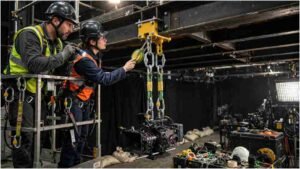
Never attach a suspended load to an unverified structure. Living trees must have a trunk diameter of at least 10 inches at the mounting point and be solidly rooted in firm soil. For architectural builds, structural steel beams or reinforced concrete pillars are mandatory anchor points; light-gauge aluminum trusses, decorative brickwork, or wooden railings should never be used.
- Wrap heavy-duty tree-saver straps or polyester rigging slings around your selected anchor to protect both the structure and your gear.
- Connect industrial steel carabiners or rated shackles to the sling ends, ensuring load directions align with the main line pull to prevent tri-axial loading.
- Clear the terrain directly under the flight path to prevent the camera gimbal from hitting obstacles at maximum line deflection.
Phase 2: Deploying the Line and Managing Mechanical Advantage
Once anchor points are secured, run your main tracking line across the span. For lightweight consumer setups, braided Dyneema lines offer high tensile strength with minimal weight; heavy cinema payloads require galvanized steel wire rope.
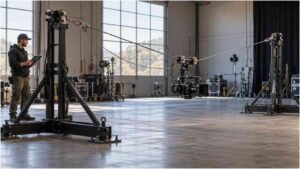
Pass the line through a manual ratcheting winch or a block-and-tackle mechanical advantage system at your tensioning anchor. Crank the system until the line lifts clear of ground obstacles, leaving enough slack to absorb dynamic shock loads.
[Anchor A: Tree/Beam] <—> [Tensioned Main Line] <—> [Ratcheting Winch] <—> [Anchor B: Tree/Beam]
|
[Motorized Trolley]
|
[3-Axis Gimbal]
|
[Camera Rig]
Editor Note: A horizontal flow diagram showing the line tension vectors from Anchor A to Anchor B with the underslung payload would work well as a vector graphic.
Phase 3: Trolley Mounting and Secondary Fail-Safes
Power down the drive unit before mounting the trolley onto the line to avoid accidental motor engage.
- Lower the motor drive wheel mechanism and guide the trolley’s main tracking pulleys onto the tensioned line.
- Re-engage the drive wheel, ensuring proper friction compression against the rope.
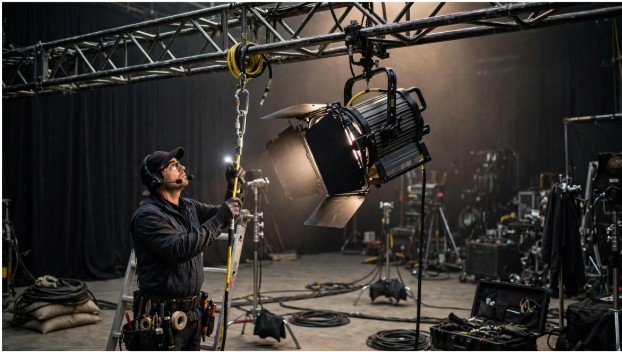
- Attach a redundant secondary safety loop around the main line connected directly to the camera gimbal. If a main pulley axle fails, the safety loop prevents a catastrophic drop.
- Mount your 3-axis gimbal to the underslung quick-release plate and balance the camera payload along all axes.
Phase 4: Transceiver Calibration and Electronic End-Stops
With the hardware suspended, turn on your RF transmitter to pair with the cable cam’s onboard transceiver module. Calibrating physical limits prevents the high-speed trolley from crashing into your anchor hardware.
Slowly drive the rig toward Anchor A and program this position as Endpoint A on your controller. Drive to the opposite end and set Endpoint B. Modern digital controllers auto-calculate braking curves, smoothly decelerating the trolley as it approaches either end, regardless of stick input. Run test passes at 25% speed to verify tracking alignment, dampening settings, and gimbal responsiveness before launching a full-speed pass.
Rigging Comparison: Dyneema Line vs. Steel Wire Rope
Selecting the right line material directly impacts portable setup times, weight limits, types of camera movements and overall payload stability.
| Specification | UHMWPE / Dyneema Synthetic Line | Galvanized Steel Wire Rope |
| Weight-to-Strength Ratio | Extremely High (Floats on water) | Moderate to Low (Heavy) |
| Stretch / Elongation | Near zero stretch (< 1%) | Low stretch (< 0.5%) |
| Flexibility & Portability | Packs into a standard backpack | Requires heavy spools |
| Abrasion Resistance | Moderate (Vulnerable to sharp edges) | High (Resists cut damage) |
| Ideal Production Use | Action sports, portable indie sets | Long-term stadium installations |
Misconceptions and Operational Limits
A common misconception among beginner operators is that pulling the cable tighter creates smoother camera shots. Over-tensioning exponentially increases structural stress on anchors while transferring every micro-vibration from the line directly into the camera sensor. Allowing natural sag absorbs high-frequency chatter, letting the motorized 3-axis gimbal isolate low-frequency movement.
Another critical limit involves wind profile cross-sections. While cable cams handle head-on wind better than drones, strong side winds act like a sail on the camera payload. Lateral wind forces push the line off-center, creating an unwanted pendulum motion that strains trolley guide bearings.
Also Read: What is a tracking shot?
Frequently Asked Questions
1. How do you set up your cam?
Select two secure anchor points, attach rated rigging straps, suspend the main line, tension it using a winch, thread the trolley unit, attach a secondary safety drop line, and calibrate digital end-stops on your remote.
2. How to set up wired cameras?
Mount the camera securely, run power and video cables along designated cable management paths using tension relief clips, connect the lines to your monitor or switcher, and adjust focal limits to prevent signal loss during operation.
3. How to set a camera for beginners?
Set the camera to manual exposure mode, dial your shutter speed to double your framerate (180-degree rule), match the aperture for desired depth of field, set ISO to native base levels, and lock white balance manually.
4. How do I set up my webcam for streaming?
Position the webcam at eye level, plug it into a direct USB port, open your streaming software to select the camera input, set resolution to 1080p at 60fps, and lock exposure and white balance settings manually.
Precision Motion Control
Learning how to set up cable cam rigs for filmmaking transforms standard production moves into breathtaking cinematic sequences. By understanding structural load limits, choosing the right anchor hardware, and establishing electronic end-stops, you unlock safe, repeatable, frame-accurate motion tracking that elevates your visual storytelling.