






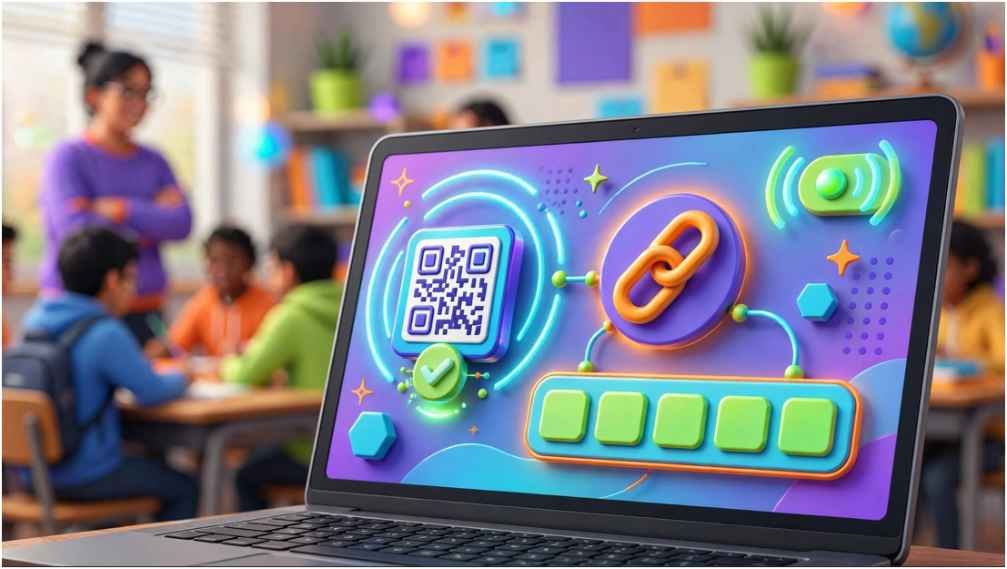
A teacher has started the game, everyone else is joining, and your screen still shows an error. Blooket Codes should get you into a live session within seconds, but only when the code and game remain active.
I have reviewed the official joining process and the most common points where players get stuck. The best solution is usually simple: use the exact Game ID at the official joining page before the host closes the session.
Table of Contents
ToggleWhat Are Blooket Codes?
Blooket Codes are temporary numeric Game IDs created when a host launches a live session. Each ID connects players to one specific game lobby.
The host does not manually choose the number. Blooket generates it and displays it with a QR code and direct Join Link. When the session ends, the same ID should not be treated as a permanent invitation.
Some older articles describe five- or six-digit IDs. Current Blooket joining documentation refers to a seven-digit game code, while some older official hosting material still mentions six digits. The practical rule is simple: enter the complete Game ID exactly as the host displays it.
How Do You Join a Blooket Game?
Blooket supports three joining methods. The Game ID works well on classroom laptops, while QR codes and links reduce typing mistakes.
Join With a Blooket Game ID
Open the official Blooket joining page or go directly to play.blooket.com. Enter the ID shown by your teacher or host.
Next, enter an appropriate nickname unless the host enabled random names. Choose a Blook character and wait in the lobby. The host starts the session after the class has joined. Blooket confirms that players can join late when the host permits late entry.
I recommend typing the number from left to right and checking it once before submitting. Repeatedly entering a guessed number wastes more time than one careful check.
Use a QR Code or Direct Join Link
A QR code is usually the fastest choice on a phone or tablet. Open the device camera, scan the code displayed by the host, and follow the prompt.
A Join Link works better during virtual or hybrid classes. Students who are studying businesses and marketing also can explore the brand video production case study for reference using these codes. The teacher can place it in a learning platform, classroom chat, or approved email. Clicking it sends the student to the correct session without manually entering Blooket Codes.
These options reach the same lobby. They simply remove the risk of mistyping the Game ID.
Why Is Your Blooket Code Not Working?
Most errors fit into one of two groups: the session is unavailable, or the student’s device cannot reach it.
Check the Game Session First
Confirm every digit with the host. A copied code may contain an extra space, and a number displayed on a distant projector can be misread.
Next, ask whether the game is still active. A code from yesterday, an old article, or a completed livestream will probably fail. The host may also have disabled late joining.
My 60-second troubleshooting method follows this order:
- Compare the Game ID with the host’s screen.
- Ask whether the lobby is still open.
- Request the official QR code or Join Link.
- Reload the official joining page once.
- Tell the host the exact error message.
This sequence prevents random retries and quickly separates an expired session from a device problem.
Check Your Browser and Network
Refresh the page and confirm that the browser has internet access. If the page still fails, close duplicate Blooket tabs and reopen the official link.
School networks may restrict gaming or unfamiliar web services. Students should never bypass school filters. Ask the teacher or school technology team to confirm whether Blooket is approved and accessible. There is so much to explore for students from marketing, business communication, and even healthcare. They can explore various case studies for references such as healthcare patient story video case study.
The official Blooket FAQ includes resources for login, hosting, connection, blocked-access, and missing-image problems. That makes it safer than following an unknown “unblocked” website.
Can You Find Active Blooket Game Codes Online?
Websites and social posts sometimes advertise active Blooket Codes, but live IDs can expire before the page is even updated. Blooket does not maintain a public directory of every classroom session.
The most reliable source is the teacher, event organizer, or host currently running the game. A real invitation normally includes a Game ID, QR code, or direct link.
Avoid pages that promise permanent codes or require downloads, surveys, passwords, or payment. A normal live-game invitation should not require you to install a “code generator.” It also should not ask for a teacher’s credentials.
Do You Need an Account to Use Blooket Codes?
Students can join live games without creating an account. They may enter a nickname or receive a random one, depending on the host’s settings.
Signing in can connect gameplay to account features, including owned Blooks and rewards. However, joining as a guest is often the quickest classroom option.
For younger students, schools should review any educational service before requiring account creation. The Federal Trade Commission’s COPPA guidance explains that schools may sometimes consent on parents’ behalf when data collection serves a school-authorized educational purpose.
How Should Students Use Join Codes Safely?
Treat classroom Blooket Codes like temporary invitations. Share them only with the intended class or group. Public posting can bring unknown players into the session while it remains available.
Students should use a classroom-safe nickname. A real name may help a teacher identify results, but the teacher should decide what naming approach fits school policy. Random names can reduce the need to display student identities.
Teachers should also confirm that the service meets district requirements. The U.S. Department of Education’s privacy guidance recommends evaluating how educational tools collect, use, and transmit information.
Frequently Asked Questions
1. Where do I enter Blooket Codes?
Enter the host’s Game ID at play.blooket.com, or use the official QR code or Join Link.
2. Why does my Blooket code say invalid?
The ID may be mistyped, expired, linked to a closed session, or blocked by the network.
3. Can I join Blooket without a code?
You need a Game ID, QR code, or Join Link for a hosted live game.
4. Are free Blooket game codes permanent?
No. Live-session codes are temporary and should be obtained from the current host.
Your Code Has One Job—Use It Quickly
I treat Blooket Codes as short-lived door keys, not reusable passwords. Get the ID from the host, open the official page, and enter it while the lobby remains active.
If an error appears, stop guessing. Check the number, confirm the session, and request the QR code or direct link. That three-step habit fixes most joining problems without risky third-party tools.




One comment on “Blooket Codes: Join Games and Fix Common Errors”