






I have seen well-planned production days lose momentum because a cable was missing, a camera plate did not match, or equipment arrived in cases packed without any connection to the shooting order.
These problems appear minor, but repeated delays can consume hours. For me, reducing equipment setup time during a fast-paced production begins before the crew reaches the location. It requires careful preparation, repeatable equipment builds, clear responsibilities, and a schedule designed around efficient changeovers.
Working faster should never mean skipping safety inspections or technical tests. The objective is to remove searching, waiting, rebuilding, and unnecessary equipment movements while preserving production quality.
Measure Setup Time Before Changing the Workflow
A crew cannot improve setup performance without knowing where time is being lost. Record the time from the final usable take under one configuration until the equipment is ready for the next shot.
Break each changeover into smaller activities:
- Retrieving and unpacking equipment
- Building or mounting components
- Running and securing cables
- Balancing and calibrating equipment
- Adjusting lights and sound
- Testing signals and recording media
- Troubleshooting technical problems
- Waiting for instructions or approvals
Track several setups rather than judging one unusually good or bad changeover. Patterns will quickly emerge. The crew may discover that building the camera and completing lens calibration takes six minutes, while locating the correct cable consumes ten.
Complete More Work During Pre-Production
The technical scout should answer practical questions about access, power, space, rigging, ambient sound, weather exposure, and equipment movement. Department heads can then select the right gear instead of bringing excessive equipment that slows unloading and organization.
Create a setup diagram for every technically demanding scene. Mark camera positions, actor movement, lights, sound equipment, power routes, and safe cable paths. A clear diagram allows departments to begin working without repeatedly requesting instructions.
The final equipment list should follow the shot list, especially when adapting custom camera rig components for specific scenes. If a piece of gear has no confirmed purpose, reconsider whether it needs to occupy space in the production vehicle or staging area.
Organize Cases Around the Shooting Order
Equipment is often packed by category because that makes storage convenient. On a busy production, it may be faster to pack according to when and where items will be used.
Place equipment required for the opening setup where it can be unloaded first. Keep frequently used accessories in clearly marked cases. Arrange specialized equipment for later scenes separately so it does not obstruct the active work area.
Use large, readable labels on cases, drawers, batteries, media, cables, and chargers. Color coding can identify departments or complete equipment packages. Maintain a consistent location for every item so crew members do not need to ask where it belongs.
Use Modular and Repeatable Equipment Builds
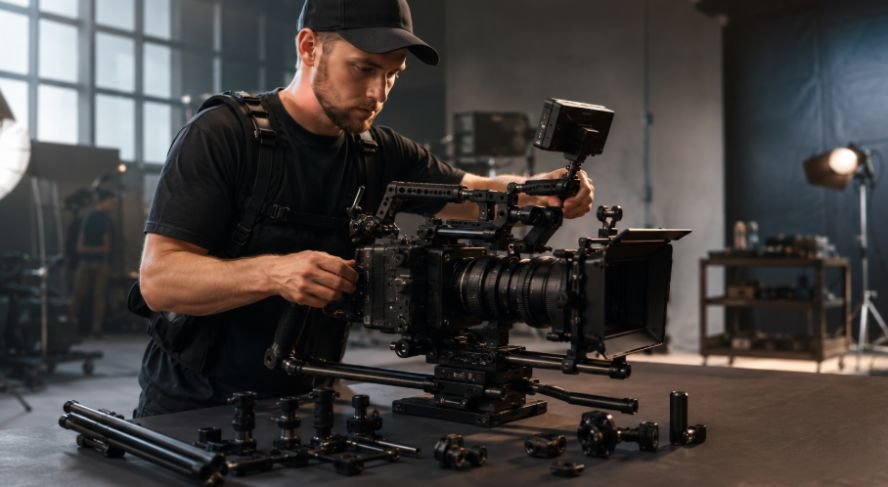
Modular equipment prevents crews from rebuilding every configuration from individual components. Cameras can be stored with cages, handles, mounting plates, and essential accessories already attached when transportation conditions permit.
Quick-release plates make it easier to transfer a camera between a tripod, slide viewer, shoulder rig, or gimbal. However, every support system should use compatible, tested plates. A collection of unrelated mounting standards can create more delays than it solves.
Other practical modular systems include preconfigured wireless audio bags, labeled cable looms, rolling lighting carts, standard power connections, and grip kits assembled for specific applications.
Stage the Next Setup Early

One of the most effective methods for reducing equipment setup time during a fast-paced production is preparing non-conflicting parts of the next configuration while the current shot is being filmed.
A designated crew member might stage the next lens, charge batteries, prepare fresh media, assemble an inactive stand, or move sealed cases closer to the next location. This preparation must not introduce noise, block access, enter the frame, or compromise safety.
When solving cable cam problems during live production, the assistant director and department heads should decide which tasks can occur simultaneously. Parallel preparation works best when everyone understands the current shot, the next setup, and the boundaries of the active set.
Group Shots to Minimize Equipment Changes
A shooting schedule should consider technical efficiency as well as story order. Film all practical scenes at one location before moving elsewhere. Within that location, group shots that share similar lighting, camera direction, lenses, or support equipment.
Complete shots from one side of a room before reversing the entire lighting arrangement. Capture several tripod shots before rebuilding the camera for handheld or gimbal work. If multiple scenes require dolly track, schedule them together.
This approach reduces repeated construction, calibration, cable routing, and equipment transportation. It also gives departments a more predictable sequence to follow.
Assign One Owner to Every Setup Task
Confusion increases when everyone assumes somebody else is handling a task. Assign responsibility for the camera build, lenses, media, batteries, lighting controls, audio frequencies, cables, monitoring, and equipment returns.
Use a brief pre-call meeting to confirm the first setups, unusual requirements, safety restrictions, and contingency plans. Crew members should know who can approve changes so technical decisions do not stall while waiting for several opinions.
Communication should be short and standardized. Clear calls such as “camera ready,” “sound ready,” and “lighting ready” allow the assistant director to identify the unfinished department immediately.
Keep Tested Backups Within Reach
When creating cinematic movement, backup equipment saves time only when it is charged, compatible, tested, and accessible. Keep replacements available for critical items such as batteries, recording media, cables, microphones, transmitters, mounting hardware, and power supplies.
Prepare a small troubleshooting kit containing commonly needed tools and replacement parts. This avoids opening several cases to find one adapter or hex key.
Allow realistic buffer time in the schedule for equipment problems, environmental changes, and technical adjustments. A buffer protects the wider shooting day without encouraging inefficient work.
Perform a Rapid Technical Check
Speed should not eliminate verification. Before recording, confirm:
- Camera settings, focus, framing, and media capacity
- Audio levels, channel assignments, and monitoring
- Wireless signal stability
- Battery and power status
- Monitor feeds and recording triggered flow
- Stand stability, counterweights, and sandbags
- Cable protection and walking routes
A controlled two-minute check is faster than discovering unusable footage, distorted audio, or an unsafe stand after several takes.
Protect Safety During Every Changeover
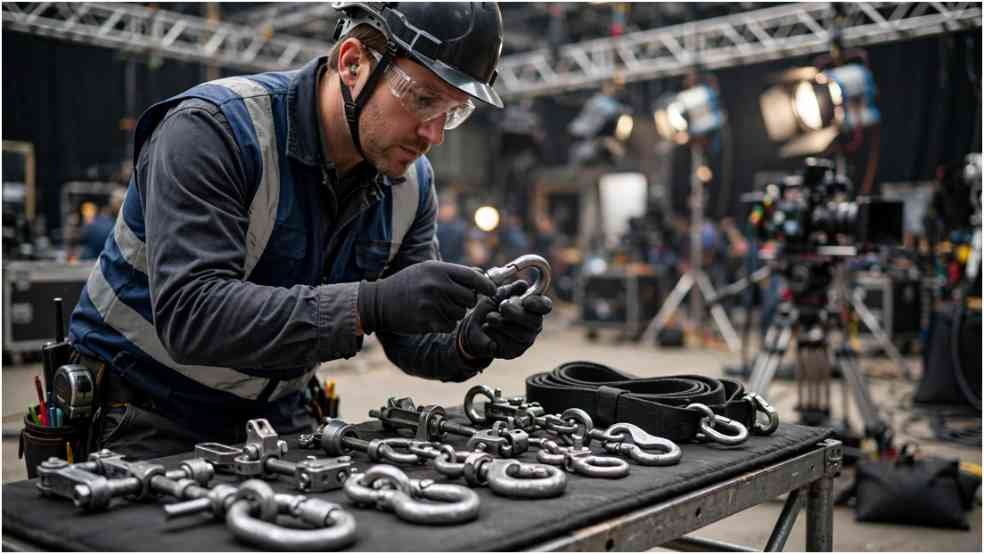
Never shorten procedures involving overhead equipment, electrical loading, elevated platforms, counterweights, rigging hardware, or public access. Only qualified crew members should modify specialized systems.
Fast movement can create rushed decisions, unsecured cables, improperly locked plates, and misplaced equipment. Establish clear staging zones and keep emergency routes open. The safest workflow is usually also the most organized and repeatable one.
Frequently Asked Questions
1. How does reducing equipment setup time during a fast-paced production improve a shoot?
It increases the amount of usable recording time, reduces crew waiting, supports a more predictable schedule, and limits overtime. It can also improve concentration because departments follow an organized process instead of reacting to preventable problems.
2. Should a crew prebuild every piece of equipment?
No. Prebuild equipment that can be transported safely and is likely to remain unchanged. Delicate, oversized, suspended, or tightly calibrated systems may need to be assembled and inspected at the location.
3. What equipment saves the most setup time?
Compatible quick-release plates, modular camera builds, rolling carts, labeled cable kits, standardized batteries, preset lighting controls, and dependable wireless systems can all help. Their value depends on crew training and consistent use.
Final Takeaways
I believe the fastest production crews are not the crews that rush. They are the ones that remove uncertainty before the shooting day, arrange equipment intelligently, and repeat a workflow everyone understands.
Measure each changeover, prepare the next setup early, group technically similar shots, assign clear owners, and keep tested backups ready. When those practices become routine, the production gains more filming time without sacrificing technical quality, creative control, or crew safety.