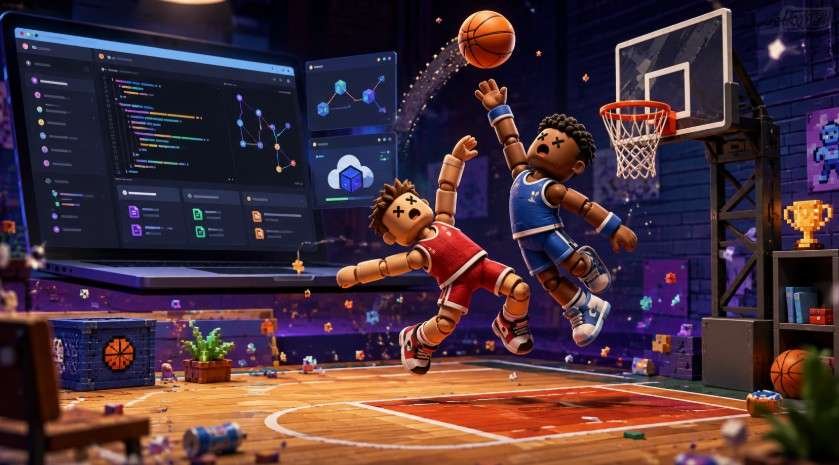
A tiny basketball game can become a lesson in coding, copyright, and web security surprisingly fast. Search for basket random git hub and you will find playable pages, forks, copied builds, and source-code repositories that are not all maintained by the same people. That makes the topic useful for players and beginner developers, but also easy to misread.
The best approach is to separate three goals: playing Basket Random, studying how a browser game works, and reusing or publishing code. Those activities overlap, but they do not carry the same technical or legal considerations.
Table of Contents
ToggleWhat Is Basket Random?
Basket Random is a physics-driven basketball game built around deliberately unpredictable movement. Instead of a complex control scheme, it uses simple inputs, jumping, shooting, collisions, and ragdoll-style motion to create quick matches where awkward rebounds and accidental scores are part of the appeal.
Controls can vary between builds. Always check the instructions shown by the version you open rather than assuming every fork works identically.
What Does Basket Random Git Hub Mean?
The phrase usually refers to GitHub repositories, forks, or GitHub Pages sites associated with Basket Random rather than one universally recognized official software package.
GitHub Pages helps explain why the game appears in browser-ready form. GitHub says Pages can turn repository content into a live website, with publishing available from a repository branch or through GitHub Actions. A project containing HTML, JavaScript, CSS, images, and game assets can therefore double as a playable website.
Current GitHub results show why names need careful verification. BasketRandom/BasketRandom.github.io is a public repository containing index.html, JavaScript folders, styles, media, and Box2D-related WebAssembly files. It currently shows 13 commits and about 100 forks.
A separate baseinfinite/basket-random repository is also public, but it contains a smaller set of files and currently shows only three commits.
Meanwhile, the basketrandom-org GitHub profile currently states that it has no public repositories.
That does not automatically establish which build is “official.” It shows that similarly named pages can represent different owners, forks, mirrors, or deployments.
Play, Study, or Modify? Use the Right Starting Point
| Your goal | Best starting point | Check first |
| Play in a browser | Hosted game page | Domain, HTTPS, page behavior |
| Learn from code | Public repository | Files, history, README, license |
| Modify a build | Fork or local clone | License, dependencies, changes |
| Publish a version | Your own repository | Rights, attribution, security |
For learning, browsing a repository before downloading it is often enough. Look at index.html, script folders, stylesheets, images, and commit history. The Git tutorial describes Git as a distributed version-control system designed to support software development and track changes, making a small browser game a manageable beginner project.
How to Evaluate a Basket Random Repository
Check the Project History
Look for a clear description, commit history, issues, contributors, and setup instructions. Sparse documentation is not automatically dangerous, but it gives you less evidence about maintenance, ownership, and where the files originated.
A large number of forks also does not prove quality or authenticity. Treat repository activity as one signal rather than a guarantee.
Find the License Before Copying Anything
Public source code is not automatically free for unlimited reuse.
TheU.S. Copyright Office guidance on computer programs explains that copyright protection can extend to copyrightable expression contained in software, even though ideas, methods, algorithms, and program logic themselves are treated differently.
The Open Source Initiative’s license guidance also makes an important distinction: genuine open-source licensing provides defined rights to use, modify, and share software. Merely seeing source code online does not create those permissions.
If a Basket Random repository has no clear license, do not assume you can republish its code, graphics, audio, or branding. Reading code for education and redistributing a copied game are different actions.
Inspect Scripts and Dependencies
Browser games may load third-party JavaScript, analytics, advertisements, fonts, or other outside resources.
OWASP’s third-party JavaScript security guidance identifies risks including unexpected code execution, losing control over changes made by third-party providers, and information leaking to external services.
You can perform a basic check without being a security professional. Search HTML and JavaScript files for external URLs, unfamiliar <script> references, redirects, pop-ups, or calls to unrelated domains.
A basic browser basketball game should not require a suspicious executable, unrelated browser extension, or unusual device permissions.
Treat Every Fork as a Separate Project
A fork can preserve original code, improve it, or introduce completely different behavior.
NIST’s open-source software security guidance highlights issues such as software provenance, maintenance, integrity, open-source controls, and vulnerability management when organizations rely on third-party components.
For a small browser game, translate that guidance into four questions: Who created this fork? What changed? Is it maintained? Do I trust what it loads?
A Safe Way to Run or Modify the Code
Start with the README if one exists. If instructions are missing, check for index.html and determine whether scripts, WebAssembly files, styles, and media are stored locally or fetched from external domains.
For development, cloning with Git is generally more useful than repeatedly downloading ZIP files because Git preserves version history. Create your own branch or fork before editing, make one change at a time, and test after each change.
If you have permission to publish the code and assets, GitHub Pages can host static web files. GitHub documents both branch-based publishing and GitHub Actions deployment options.
Again, visibility in a public repository does not automatically grant republication rights.
What About “Unblocked” Versions?
Many Basket Random searches are really attempts to find a version that runs on a school Chromebook or restricted network.
A GitHub Pages site may sometimes load where another gaming domain does not, but that does not make it appropriate to bypass school, library, employer, or network-administrator controls.
For students in the US, a stronger educational use is to inspect how the page loads, identify the JavaScript entry point, trace the physics files, study version history, or rebuild a simple game mechanic yourself.
If a network blocks gaming content, use approved resources rather than trying to defeat the restriction.
Four Checks Before You Click Play
- Verify the repository owner and exact URL.
- Look for a license and readable project history.
- Check external scripts and unexpected downloads.
- Separate “I can see this code” from “I have permission to redistribute it.”
Those checks address the biggest misconception around basket random git hub: GitHub visibility is not the same as official status, safety, or an open-source license.
Frequently Asked Questions
1. Is Basket Random on GitHub free to use?
Public repositories can be viewed for free, but reuse rights depend on the license. Public visibility alone does not grant permission to republish code, graphics, or other assets.
2. Can I play Basket Random directly from GitHub?
Some repositories are deployed through GitHub Pages and run directly in a browser. Others only store project files and may require additional local setup.
3. Is downloading a Basket Random repository safe?
It can be, but review its files, external scripts, history, and dependencies first. Avoid builds that request unrelated software, extensions, executables, or suspicious permissions.
4. Can I create my own Basket Random version?
Possibly. Check the repository license and rights covering included code and assets before modifying or redistributing anything.
Final Takeaway
The most useful part of basket random git hub is not simply finding another place to play. It is seeing how a compact browser game exposes real questions about Git, web deployment, software provenance, licensing, and security.
Start with a repository you can verify, inspect it before running or modifying it, and read the license before publishing anything. Even a handful of HTML, JavaScript, CSS, and physics files can become a practical coding lesson. Basket Random may be chaotic by design, but your approach to its code should be careful and deliberate.