




Shaky footage can ruin a strong shot even when the exposure, focus and composition look perfect. A camera gyro helps solve that problem by measuring rotational movement around the camera’s axes.
I have found that the term often creates confusion. Some people use it for an internal sensor, while others mean a gimbal, mechanical stabilizer or post-production workflow. These systems are related, but they do not perform the same job.
What Is a Camera Gyro?
A camera gyro is a gyroscopic sensor or stabilization device associated with a camera. Its basic purpose is to detect or resist unwanted angular movement.
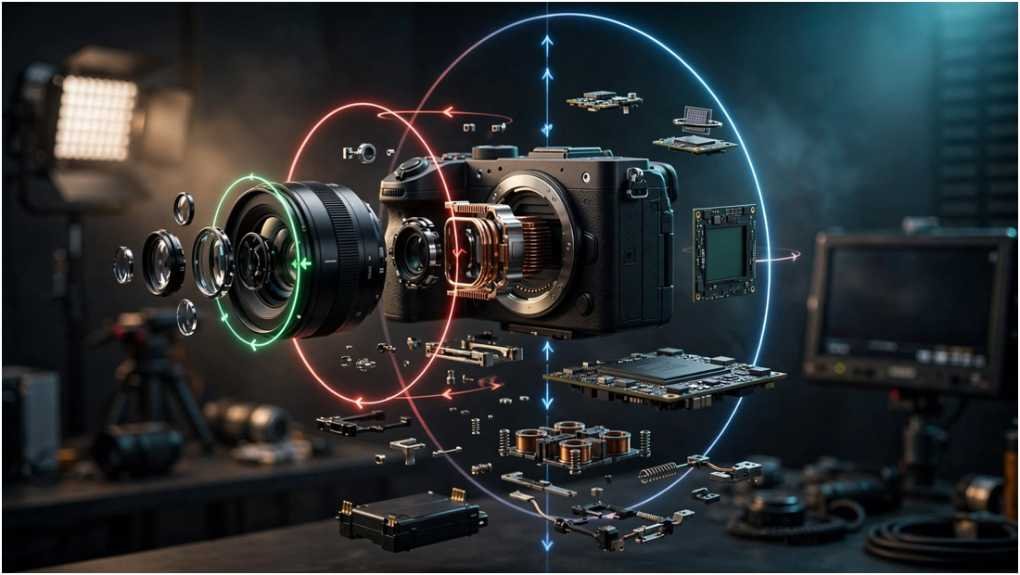
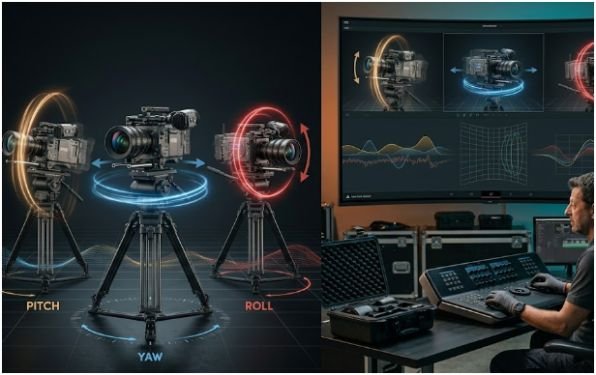
Most electronic systems use a micro-electro-mechanical system, commonly called a MEMS gyroscope. This tiny sensor measures angular velocity around three axes: pitch, yaw and roll.
| Axis | Camera motion | Simple example |
|---|---|---|
| Pitch | Tilting upward or downward | Looking from the ground to a building |
| Yaw | Rotating left or right | Following a person across a room |
| Roll | Rotating around the lens axis | Creating a slanted horizon |
A gyro measures rotation rather than every form of physical movement. It cannot fully detect vertical walking bounce or sideways translation by itself. Some systems therefore combine gyro readings with accelerometer data, lens information and image analysis.
How Does Gyro Stabilization Work?
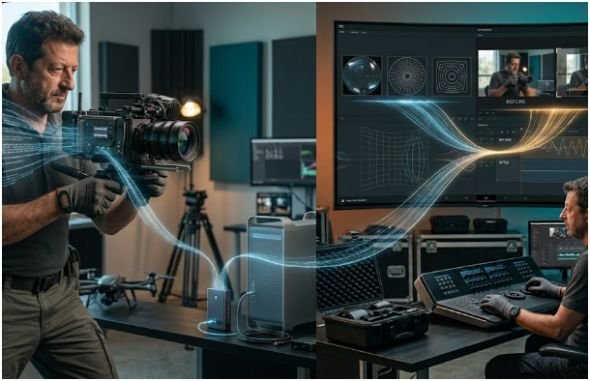
Recording rotational movement
The sensor samples the camera’s angular motion many times during recording. Compatible cameras can save those readings beside the video or inside its metadata.
Software then compares the sensor timestamps with the corresponding video frames. Accurate synchronization matters because even a small timing error can make correction appear delayed or unstable.
Sony explains that selected cameras record camera-shake metadata through their built-in gyros. Its Catalyst software lets users balance shake compensation against image trimming.
Correcting movement during or after recording
A camera gyro does not always stabilize the image directly. It may only provide movement information to another component.
A gimbal sends that information to brushless motors, which adjust the camera’s orientation during recording. Software-based systems use the data later to rotate, reposition and crop each frame in the opposite direction.
What Are the Main Camera Gyro Systems?
Gyro-data stabilization
Software stabilization offers considerable control after filming. Compatible cameras and external sensor loggers can record motion data for applications such as Gyroflow.
The software needs an accurate lens profile. Gyroflow’s documentation identifies focal length, distortion and optical misalignment as essential calibration parameters.
This method works well for action cameras, drones, vehicle footage and wide-angle handheld shots. It also lets me adjust smoothness after seeing the edit rather than committing to one correction level on location.
Motorized three-axis gimbals
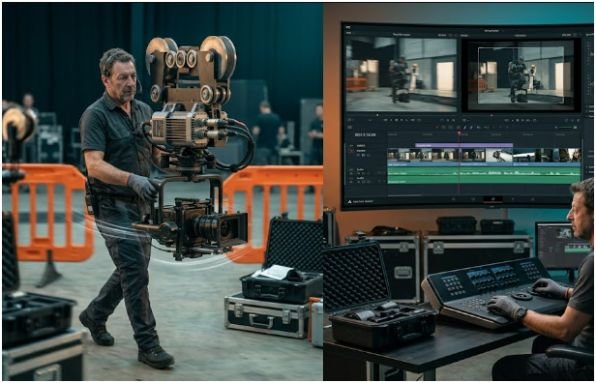
A gimbal contains motion sensors, a controller and brushless motors. The sensors detect rotation, while the controller directs the motors to counter it.
Correct balancing remains essential. An unbalanced camera forces the motors to work harder, increasing heat, vibration and battery consumption. A gimbal also cannot remove every vertical step, so good walking technique still matters.
Anyone learning Simple Camera Movements should practise body control before depending on stronger motor settings. Smooth operating produces more natural results and reduces the work required from the stabilizer.
Mechanical spinning-mass gyros
Mechanical systems use rapidly spinning weighted wheels to resist angular changes. They do not rely on electronic image analysis and can support filming from boats, aircraft and moving vehicles.
Kenyon Laboratories explains that its gyros use angular momentum to resist movement. These systems may require spin-up time and can add substantial weight to a rig.
| System | When correction occurs | Main advantage | Main limitation |
|---|---|---|---|
| Gyro-data software | After recording | Adjustable results | Requires cropping and processing |
| Motorized gimbal | During recording | Immediate stabilization | Adds weight and setup time |
| Mechanical gyro | During recording | Strong angular resistance | Heavy and less flexible |
| Internal OIS or IBIS | During recording | Compact and automatic | Limited correction range |
Camera Gyro vs Gimbal, OIS and EIS
A camera gyro is often only the measurement component. A complete stabilization system needs a method for applying the correction.
| Technology | What it does | Does the frame crop? |
|---|---|---|
| Gyroscope | Measures angular velocity | No, not by itself |
| Gimbal | Physically changes camera orientation | Usually no |
| OIS | Moves optical lens elements | Normally no |
| IBIS | Moves the image sensor | Normally no |
| EIS | Digitally repositions frames | Usually yes |
| Gyro post-stabilization | Corrects frames using motion data | Usually yes |
OIS and gyro processing can sometimes conflict because the optical system changes the image without producing matching camera-body movement. Research into gyro-guided OIS compensation demonstrates why combining the two data sources can become technically difficult.
How to Record Footage for Gyro Stabilization
First, confirm that your exact camera, frame rate and recording mode save usable motion metadata. Support may vary even within one product family.
Select the correct stabilization setting recommended by the manufacturer. For example, Sony states that supported FX30 footage requires SteadyShot to be set to Off or Active for metadata-based correction.
Use a shutter speed that limits excessive motion blur. Software can reposition a blurred frame, but it cannot reconstruct detail lost during exposure. A very slow shutter may therefore produce smooth movement with visible blur trails.
Keep enough space around the subject. Post-production correction needs an image margin for rotation and reframing. Record at a higher resolution than your delivery format when practical.
For Smooth and Stable High-Speed Camera Shots, secure every accessory and avoid loose cables. Small vibrations become more visible at long focal lengths and high playback speeds.
How to Stabilize Camera Gyro Data in Post
Import the original video without stripping its metadata. Load the correct lens profile or create one using a flat calibration chart.
Synchronize the motion data with the footage. Automatic synchronization may work, but I always inspect quick movements and the horizon before exporting.
Adjust smoothing gradually. Maximum correction can introduce aggressive cropping or make intentional movement feel artificial. Preserve motivated pans and tilts instead of forcing every shot to behave like a locked tripod.
Review the edges for black borders, distortion or sudden zoom changes. Then export a short test clip before processing the full sequence.
Original 4K cropping example
Suppose a 4K UHD clip measures 3,840 × 2,160 pixels. Reserving a 10% correction margin on each dimension leaves approximately 3,456 × 1,944 pixels.
That produces about 6.72 million usable pixels, which still exceeds the 2.07 million pixels needed for 1080p delivery. This calculation shows why recording 4K for a 1080p project creates useful stabilization space. It does not guarantee quality, since crop requirements depend on shake severity.
Which Stabilization Method Should You Choose?
| Shooting situation | Recommended starting point | Reason |
|---|---|---|
| Walking interview | Balanced gimbal | Controls live rotational movement |
| Helmet or action footage | Gyro-data stabilization | Offers flexible correction afterward |
| Long-lens vehicle shot | Mechanical gyro or supported head | Resists strong angular disturbance |
| Static handheld clip | OIS or IBIS | Fast setup with minimal equipment |
| Drone footage | Gimbal plus moderate post correction | Combines physical and digital control |
| Low-light scene | Physical stabilization | Avoids relying on heavy digital correction |
For demanding work, combining methods can help. I prefer restrained correction at each stage instead of making one system repair every movement.
What Problems Can Affect the Results?
Poor synchronization causes wobbling or delayed correction. An inaccurate lens profile can bend lines or create unstable edges. Heavy rolling shutter may produce skew because many sensors expose the image line by line rather than all at once.
Gyroscope research shows that angular-velocity measurements can help estimate motion linked to rolling-shutter distortion. However, this remains more complex than simply rotating an entire frame.
Cropping is another unavoidable trade-off. Stronger smoothing needs a larger safety margin. Fast shutter speeds may reduce blur but can make movement appear harsh, while slow speeds can preserve natural motion yet expose blurred shake.
Frequently Asked Questions
1. Is a camera gyro the same as a gimbal?
No. A gyro measures or resists rotation, while a motorized gimbal uses sensors, controllers and motors to change camera orientation.
2. Can gyro stabilization remove every type of camera shake?
No. It corrects rotation most effectively but may not fully repair translation, focus errors, motion blur or severe parallax.
3. Does Gyroflow work with every camera?
No. Compatibility depends on available motion data, synchronization, recording settings and an accurate lens profile.
4. Is gyro stabilization better than optical stabilization?
Neither is universally better. Optical stabilization works during capture, while gyro-based software offers more control after recording.
Shake Less, Shoot Smarter
A camera gyro works best when I treat it as one part of the capture process. Good balance, controlled movement, sensible shutter settings and accurate lens data remain just as important.
Start with a short test shot. Apply moderate correction, inspect the crop and watch the frame edges. That quick check can save an entire shoot from jitter, warping or unusable framing.