





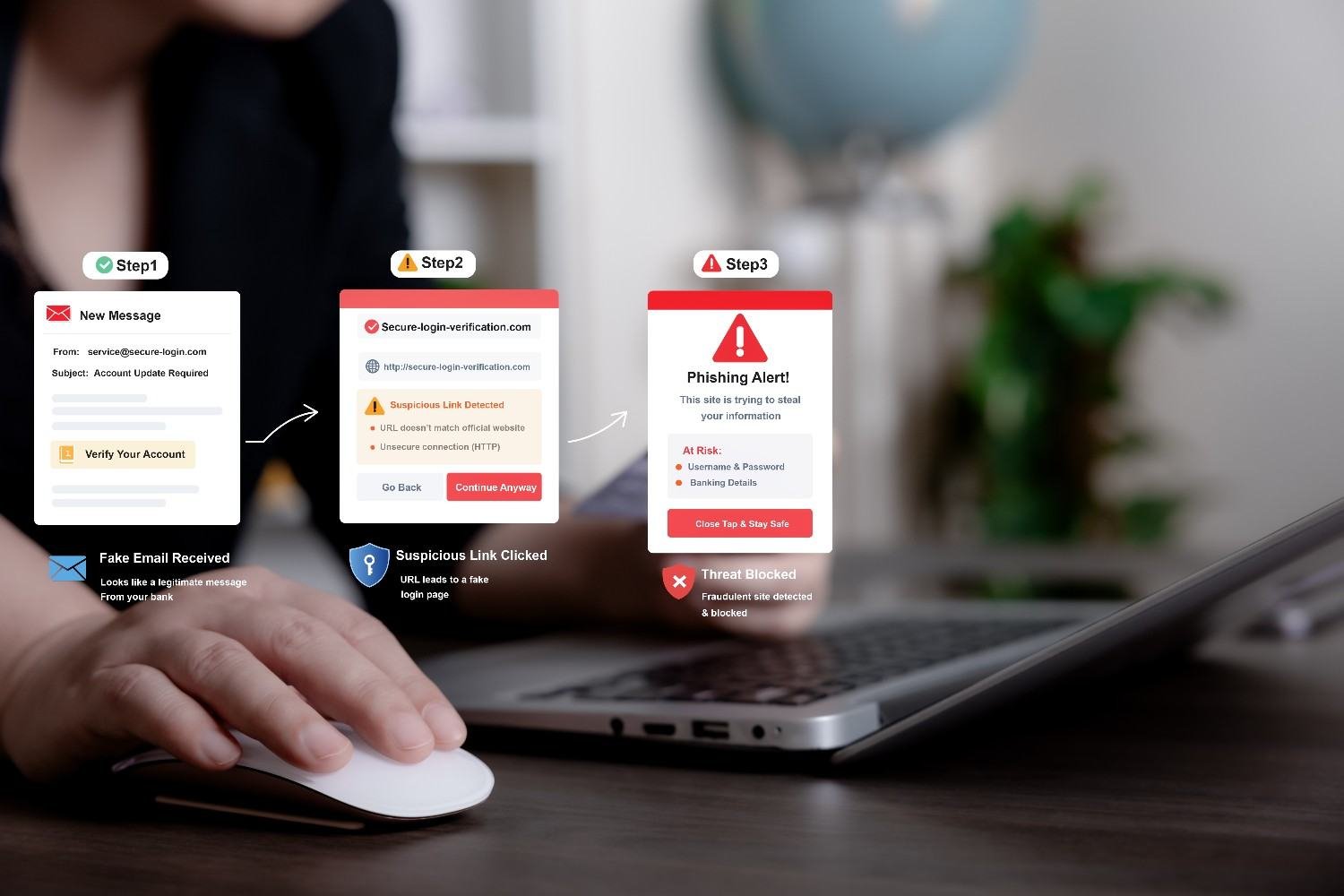
Being locked out of ChatGPT can feel confusing because the screen rarely tells you the full reason behind the problem. If you are searching for how-to-get-chatgpt-unblocked, the smartest move is to identify whether the issue comes from your school or workplace network, browser settings, Wi-Fi configuration, VPN connection, managed device, or OpenAI account.
I prefer to troubleshoot the cause first instead of relying on random fixes that may create new problems. In this guide, I’ll explain the safest and most practical ways U.S. users can diagnose ChatGPT access issues and restore legitimate access as quickly as possible.
Table of Contents
ToggleWhy Is ChatGPT Blocked at School or Work?
Schools, colleges, libraries, and employers may restrict ChatGPT with firewalls, DNS filtering, secure web gateways, device-management software, or acceptable-use policies.
Before assuming the site is deliberately blocked, test whether ChatGPT works on another authorized connection. OpenAI recommends comparing behavior across networks when diagnosing company Wi-Fi problems. If it works on cellular data but fails on school or office Wi-Fi, the network is likely part of the issue.
Can Mobile Data or a Hotspot Help?
Switching off Wi-Fi and testing ChatGPT over mobile data can show whether the problem is network-specific. I would not use this method simply to evade a school or employer rule. If ChatGPT is approved for your class or job, ask the administrator to restore access.
Should I Use a VPN to Unblock ChatGPT?
Many third-party guides recommend VPNs because they route internet traffic through another server. However, a VPN is not a universal ChatGPT access fix.
OpenAI says VPNs and proxies can themselves contribute to network, authentication, WebSocket, or unusual-activity errors. If you already use a VPN and ChatGPT stops working, disable it temporarily and test your normal connection. On a managed school or workplace network, avoid using a VPN specifically to conceal activity or override administrative controls.
Can Changing DNS or Using a Proxy Fix ChatGPT?
Some networks use DNS filtering. Public DNS services such as Google Public DNS and Cloudflare DNS are common on personally managed devices, and changing DNS may sometimes resolve local configuration problems.
School and workplace administrators, however, may control DNS settings on managed equipment. In that situation, ask IT to check whether required OpenAI domains are being filtered.
Web proxies are another frequently suggested workaround, but they introduce a third party between your browser and the service. I would never enter OpenAI, school, or workplace credentials into an unknown proxy website.
How Do I Fix “Sorry, You Have Been Blocked” or Access Denied?
If ChatGPT opens but displays a security, unusual-activity, network, or connection error, the problem may not be an intentional block.
OpenAI says browser extensions, VPNs, proxies, security filters, network configurations, and temporary server problems can contribute to ChatGPT errors.
Clear ChatGPT Cache and Cookies
Clearing ChatGPT site data, cookies, and cached files can fix broken sessions or outdated browser data. Restart your browser and sign in again afterward.
Cache and cookie troubleshooting is also commonly recommended for ChatGPT loading and conversation errors.
Try Incognito Mode or Another Browser
Private browsing creates a cleaner browser session with less interference from stored data and extensions. If ChatGPT works in incognito mode, an extension, cookie, privacy tool, or browser setting may be causing the problem.
You can also test another supported browser or device.
Disable VPNs, Proxies, and Problem Extensions
OpenAI recommends testing ChatGPT without VPNs, proxies, secure DNS tools, and browser extensions that block or modify web content when troubleshooting certain errors.
I also check OpenAI’s official service status before changing too many settings. A temporary ChatGPT outage can easily look like an individual network problem.
Why Does ChatGPT Work on My Phone but Not Wi-Fi?
If ChatGPT works on cellular data but not Wi-Fi, focus on that network.
At home, restart your router and review parental controls, DNS filters, firewall configurations, and security software you personally manage. At school or work, report the issue to the network administrator.
OpenAI provides network guidance for IT teams, including information about domains that organizations may need to allow and network controls that can disrupt ChatGPT connectivity.
Why Is ChatGPT Blocked on My School Chromebook?
School Chromebooks are often centrally managed, so administrators can control websites, extensions, sign-in behavior, and browser policies.
Changing Wi-Fi therefore may not solve a restriction tied directly to the device or student account. If ChatGPT is permitted for coursework, ask your teacher or school technology department whether access can be enabled.
How Do I Recover a Blocked or Deactivated OpenAI Account?
An account problem requires a completely different solution from a school firewall or Wi-Fi restriction.
First, make sure you use the authentication method associated with your account. OpenAI explains that login problems can occur when someone tries a password after originally signing in through Google, Apple, Microsoft, a temporary code, or an organization’s SSO.
If you use password authentication and forgot the password, follow the standard password-reset process.
Signing in through Google or Apple may resolve an authentication mismatch only when that method belongs to your existing account. It will not override a genuinely deactivated OpenAI account.
If OpenAI deactivated your account, check the email connected to it for the reason and appeal instructions. OpenAI says people who believe their account was deactivated incorrectly can use the appeal instructions in their notification or the official appeal process. A deleted account cannot simply be restored.
How Can I Avoid Fake ChatGPT Unblocked Websites?
Searches for ChatGPT unblocked, ChatGPT without login, free ChatGPT proxies, or similar phrases can lead to unofficial websites.
I avoid services requesting OpenAI passwords, school credentials, payment information, or unusual browser permissions. Use the official ChatGPT website or official apps whenever possible.
Frequently Asked Questions (FAQs)
1. What Is the Safest Way to Follow how-to-get-chatgpt-unblocked Advice?
First identify whether you have a network restriction, browser problem, ChatGPT outage, login issue, or account deactivation. Then use the appropriate troubleshooting method rather than immediately trying to bypass network controls.
2. Why Does ChatGPT Say I Have Been Blocked?
Unusual traffic, VPNs, proxies, browser extensions, network security filters, or account-related issues can contribute to access problems. Try your regular connection, a clean browser session, and OpenAI’s status page first.
3. Does Resetting My Password Unblock ChatGPT?
A password reset can solve a credential problem, but it cannot reverse an OpenAI account deactivation or remove a school or workplace network restriction.
Final Takeaway
When I troubleshoot ChatGPT access, I start with the cause instead of the most aggressive workaround. I check the service, browser, network, device, authentication method, and account status in that order.
For U.S. students, employees, and home users, this approach is faster and safer. Test another authorized network, clear problematic browser data, disable tools interfering with your connection, and contact IT or OpenAI Support when managed access or account status is involved.